

Smart Phone Instructions
Setting UP Lift Bridge Alerts Via Twitter
STEP 1
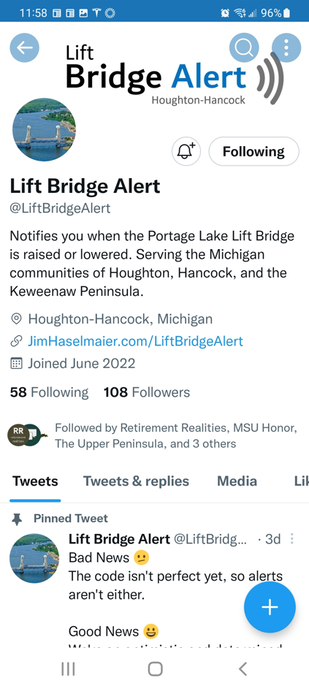
Go to the @LiftBridgeAlert Twitter account (as shown below)
Go to the @LiftBridgeAlert Twitter account (as shown below)
STEP 2
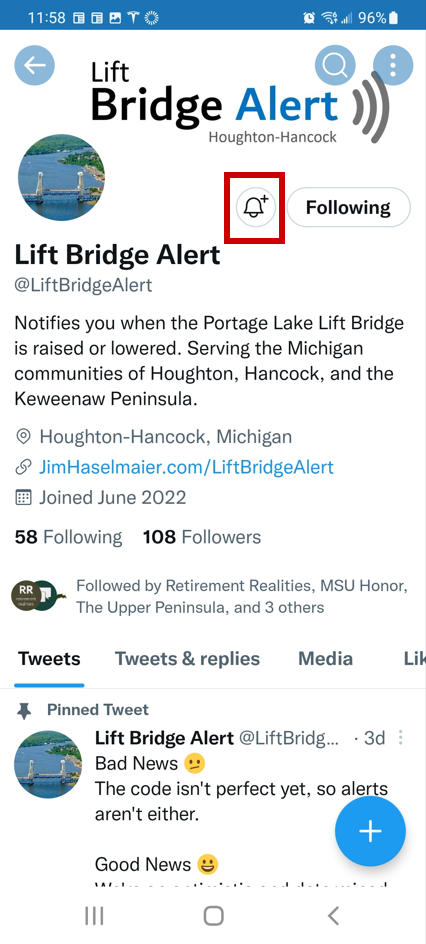
Tap the bell icon shown in the red box below
Tap the bell icon shown in the red box below
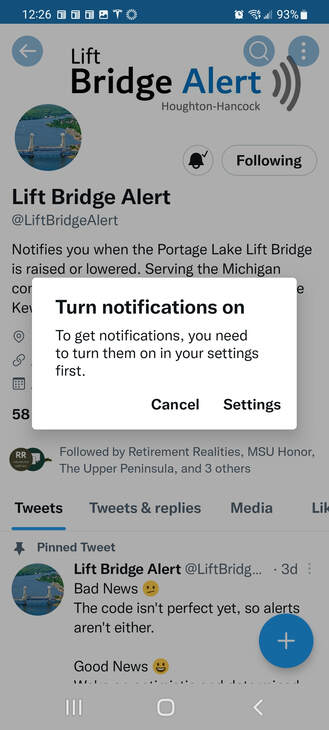
Note: if you see the "Turn notifications on" message shown below, click "Settings" and then ...
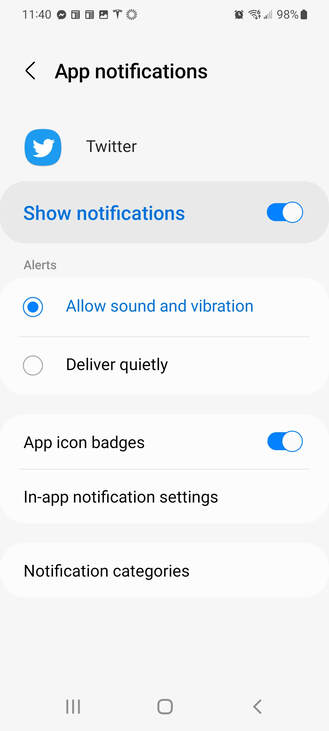
Click "Show notifications" (as shown below)
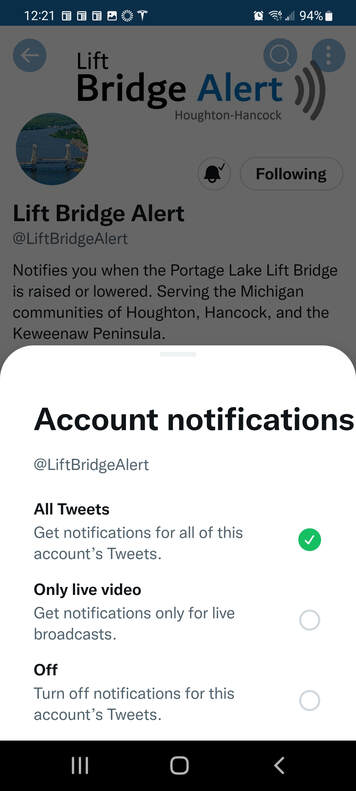
STEP 3
Select "All Tweets" as shown below
Select "All Tweets" as shown below
That's It!
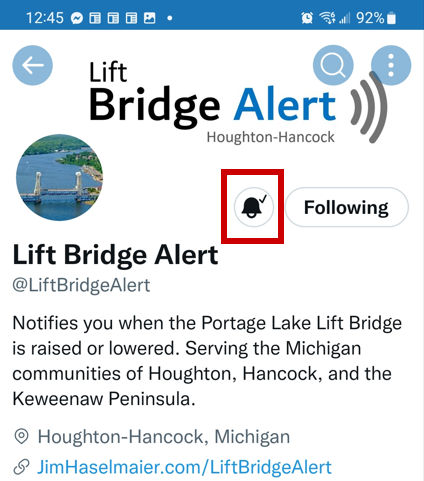
The check mark next to the bell icon (as shown in the red box below) indicates it's working.
The check mark next to the bell icon (as shown in the red box below) indicates it's working.
If these instructions don't work for you please let us know, and we'll try to help (and improve these instructions).